
Adding video to your blog without YouTube
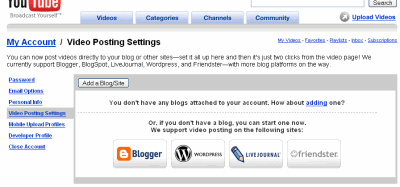
Most people add video to their blogs by first uploading the video to YouTube, then using the embed script provided by YouTube in their blogs. In fact, YouTube also allows you to post directly to your blog in their Video Posting Settings.
While this seems like a sound strategy, I figured that there might be some occasions that you might want to host the video yourself, for example:
- You want to create a video e-course (that is supposed to be limited to the people watching the video)
- You want control over the speed and stability of the source (I’m not saying the YouTube is slow or unreliable, but I personally believe that reliability comes better when you pay some money, you can’t control when YouTube decides to take down your video, right?)
- You don’t like the YouTube player.
- You are a control freak like me.

In this cases, you will need some tools for you up get that video up on your blog.
One very popular software that many Internet Marketers use is Camtasia Studio. I’ve personally used the 30 day trial and its certainly an excellent piece of software that does almost everything for you. Unfortunately, it also comes with a hefty price tag of $319!
For that price, I could buy a basic suite of Ms Office applications, get the latest copy of Dreamweaver, or even get myself a good digital camera! So… let’s wait till I have excess cash before I make my Camtasia studio. Hmm… will that day come?
As an alternative, you can check out these few pieces of software:
- CamStudio - CamStudio does excellent screen captures and even allows you to input your voice. You can export your captures in AVI or SWF.
- Riva FLV Encoder - This free application allows you to convert your video files into the format that YouTube uses, FLV.
- Flash Video Player - A web based FLV player for you to stream your videos on the web.
- … and the accompanying WordPress plugin for the Flash Video Player, so you can easily add the video to your blog posts
So what I would do, is to: